Changelog
New updates and improvements to SignageFlow.
April Updates
We shipped a strong round of usability, sharing, and stability improvements across SignageFlow, with a big focus on making the dashboard clearer, improving day-to-day content workflows, and fixing issues that could interrupt tenant team members while using the platform.
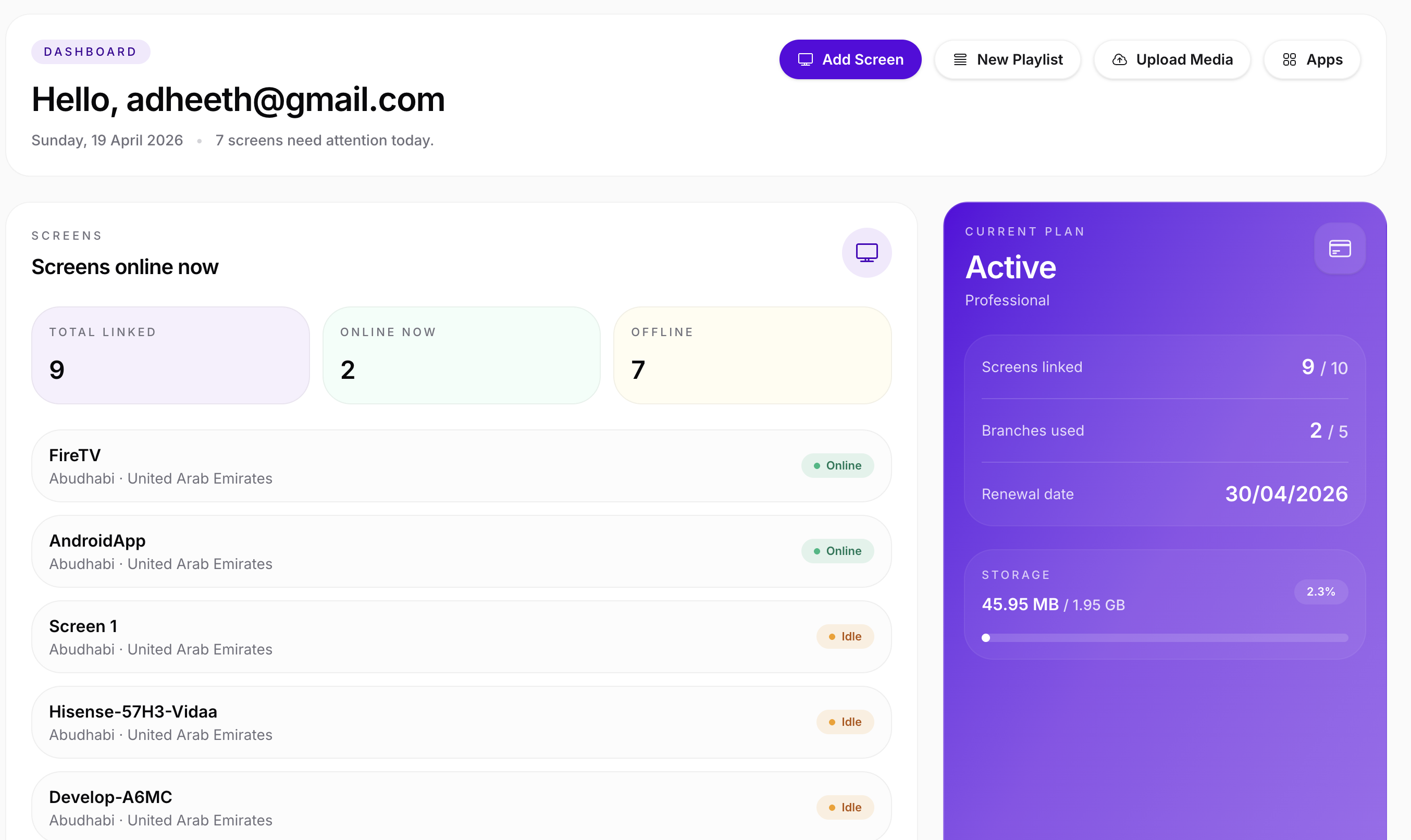
One of the biggest improvements in this release is the refreshed dashboard experience. The dashboard is now easier to scan and gives users a better high-level view of their workspace, including screen activity, schedules, plan usage, storage, and quick actions. The goal of this update was to make the dashboard feel more useful the moment a user logs in, so teams can quickly understand what is live, what needs attention, and what to do next.
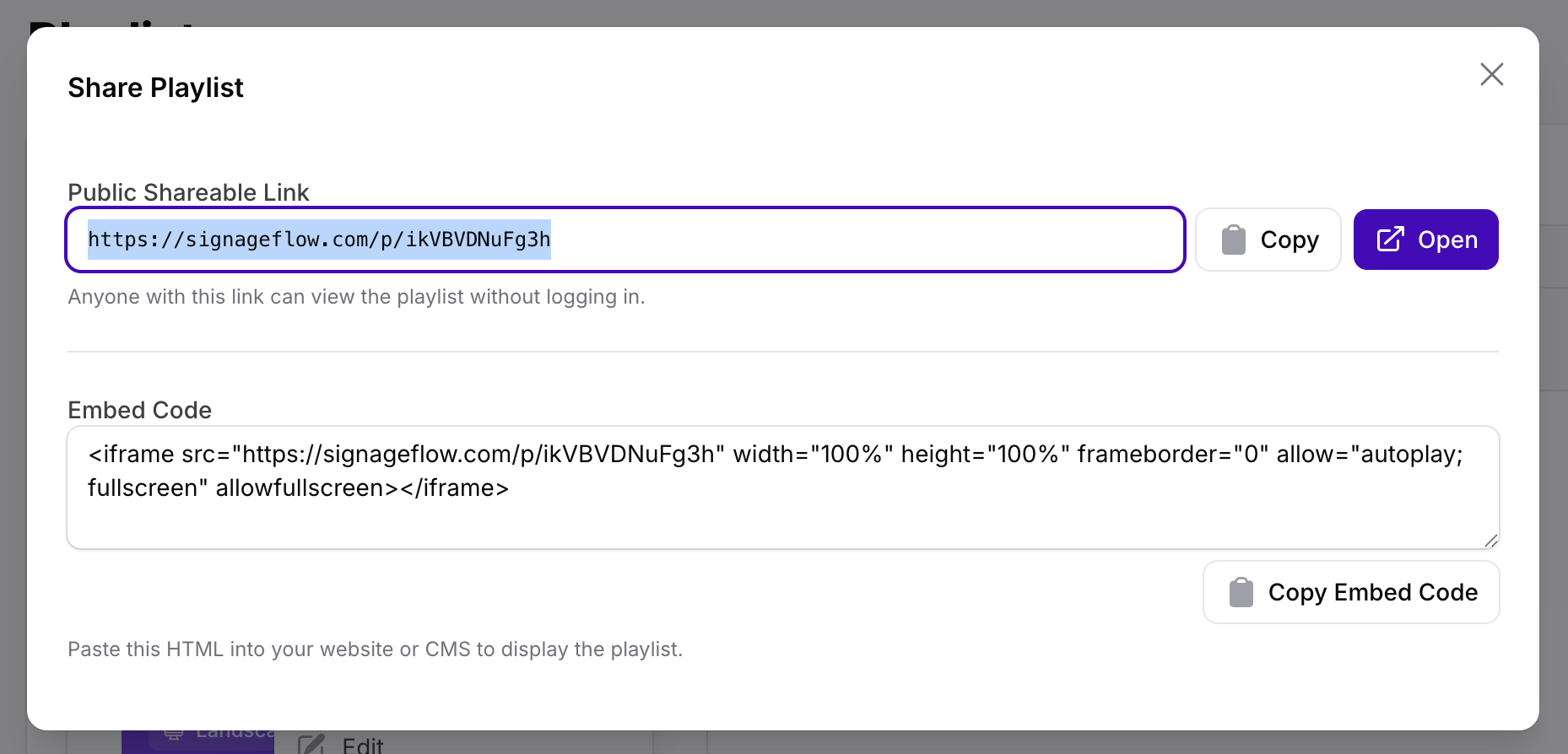
We also improved playlist workflows in a few important ways. Playlist previews are now more reliable and simpler in behavior, which helps reduce confusion while checking how content will appear on screen. We also fixed mute behavior inside previews, so users get a more accurate testing experience when reviewing media before pushing it live. In addition, playlists can now be shared and embedded more easily, making it simpler to distribute playlist content outside the main dashboard workflow when needed.
Another important fix in this release addresses tenant team members. We resolved an issue where team members were not correctly inheriting tenant properties, which in some cases caused a 500 error. This fix improves stability for shared workspaces and makes access more reliable for invited team members working inside a tenant account.
We also fixed the screen editing experience by resolving the issue where group selection could appear blank or behave incorrectly. This makes screen management smoother, especially for teams organizing screens by branch or group.
Media workflows were improved as well. Direct media links are now validated more carefully before being accepted, which helps prevent unsupported or broken links from being added to the media library. This should reduce failed content playback caused by incorrect direct URLs.
Behind the scenes, we also improved how connected screens report device and browser information. While this is mostly a technical improvement, it helps make screen monitoring and platform visibility more accurate over time.
On the public-facing side, we added a dedicated Platforms page to better explain how SignageFlow works across Web, Android, and Fire TV. We also updated social sharing previews and metadata so shared links present the product more cleanly and consistently.
What’s Improved
Refreshed dashboard with a cleaner and more informative workspace overview
Better visibility into screens, schedules, plan usage, and storage
Improved playlist preview behavior
Fixed mute handling inside previews
Added playlist sharing and embed support
Fixed blank / broken group selection when editing screens
Fixed tenant team member inheritance issues that could cause 500 errors
Improved validation for direct media URLs
Better screen device and browser tracking
Added a new Platforms page for Web, Android, and Fire TV guidance
Updated social preview images and branding metadata
New Launch: Fire TV App is Now Live
We’re excited to announce that the SignageFlow Fire TV App is officially live 🚀
You can now turn any Amazon Fire TV or Fire Stick into a powerful digital signage screen in just a few minutes.
📺 What this means for you
Instantly convert Fire TV devices into signage screens
No additional hardware required
Simple setup with screen pairing
Ideal for restaurants, retail outlets, clinics, and offices
⚡ Key Highlights
Smooth playback for images and videos
Secure screen connection with your SignageFlow dashboard
Works seamlessly with your existing playlists
Cost-effective alternative to dedicated signage players
🚀 Getting Started
Open your Fire TV
Search for “SignageFlow Player”
Install and launch the app
Enter your pairing code from the dashboard
Your screen is ready in minutes.
⚠️ Current Limitations
We’re actively improving the Fire TV experience. At the moment:
Apps support is limited
Scheduling features will be enhanced soon
Advanced overlays are in progress
🛣️ What’s Next
We’re working on:
Full support for apps and widgets
Advanced scheduling capabilities
Improved transitions and performance
Apps Marketplace, Advanced Scheduling & Android Player Launch 🚀
This is one of our biggest updates yet. SignageFlow is no longer just playlists and screens. We are now officially live with Apps.
🎉 Apps Are Now Live
You can now create and run dynamic apps directly inside your playlists.
Here’s a quick one-word summary for each app:
RSS – News
Add RSS feeds to your screens. By default, we’ve included Guardian World News, and you can also add custom RSS feeds from any source.Website – Live Pages|
Add website links and load them as playlist items directly on your screens.Weather – Forecast
Display real-time weather information for your selected city.Clock – Time
Show the current time on screen.
Includes 3 clean and simple templates.Employee Welcome – Recognition
Welcome new team members.
Display their photo, short description, and a custom welcome message.Announcements – Broadcast
Share internal announcements, events, or important updates.Prayer Times – Faith
Show Islamic prayer times clearly on screen.QR Code – Scan
Generate and display QR codes.
Includes basic analytics to track scan counts.Count Down – Timer
Create simple countdown timers.
Use it for a 5-minute session timer or count down to a specific event date.Teleprompter – Script
Display scrolling text for speeches, prayers, presentations, or guided sessions.Image Slideshow – Gallery
Create simple image galleries and display them beautifully.Zones – Layout
Divide your screen into multiple zones.
Assign playlists, images, or apps to different sections of the same screen.Birthday – Celebrate
Display today’s birthdays, this month’s birthdays, and upcoming birthdays.Embed – Integrate
Embed external widgets or custom content inside your playlist for maximum flexibility.
Apps can now be added inside playlists by clicking on the Add App button, expanding what your screens can display beyond static videos and images.
⏰ Advanced Scheduling Is Now Live
We’ve introduced advanced scheduling, giving you more granular control over when playlists run.
You can now Schedule:
On specific time of the day.
Specific days
Plan campaigns in advance
This makes SignageFlow more powerful for restaurants, retail chains, gyms, hospitals, and multi-location businesses.
🎨 UI & Dashboard Improvements
We’ve refreshed several core areas of the platform:
Improved Screen Listing Page Design
Improved Playlist Listing Page Design
Enhanced Preview App Layouts
Minor UI refinements across the dashboard
The interface is now cleaner, faster, and easier to manage at scale.
Screen Overlays
We have also introduce screen overlays. It supports
Logo
Weather
Time
Ticker
Emergency Alerts
📺 Player Updates
The player has been updated to support new media types introduced with Apps and advanced scheduling.
Improvements include:
Better media handling
Improved transitions
Structural updates to support app-based content
🤖 Android Player App Launched
Our Android Player app is now live on the Play Store.
Current status:
Optimized for videos and images
Some restrictions apply in this phase
More media type support coming in future updates
This marks a big step toward native device compatibility.
Launch
SignageFlow Officially Launched 🎉
It all started here!
What’s included at launch:
Branch Creation – Register outlets and manage content per location
Playlist Builder – Upload videos and images, drag & drop into playlists
Multi-Screen Support – Assign playlists to multiple screens
Real-Time Updates – Push content instantly without manual refresh
👉 Our mission began: making digital signage simple, affordable, and powerful for businesses of all sizes.