In a busy environment, important messages often get lost in the noise of emails and chat apps. The SignageFlow Announcements App ensures your most critical updates are seen, read, and remembered. Whether it’s an urgent office update, a retail promotion, or a school event, this app turns your digital screens into a high-visibility bulletin board.
What the Announcements App Does
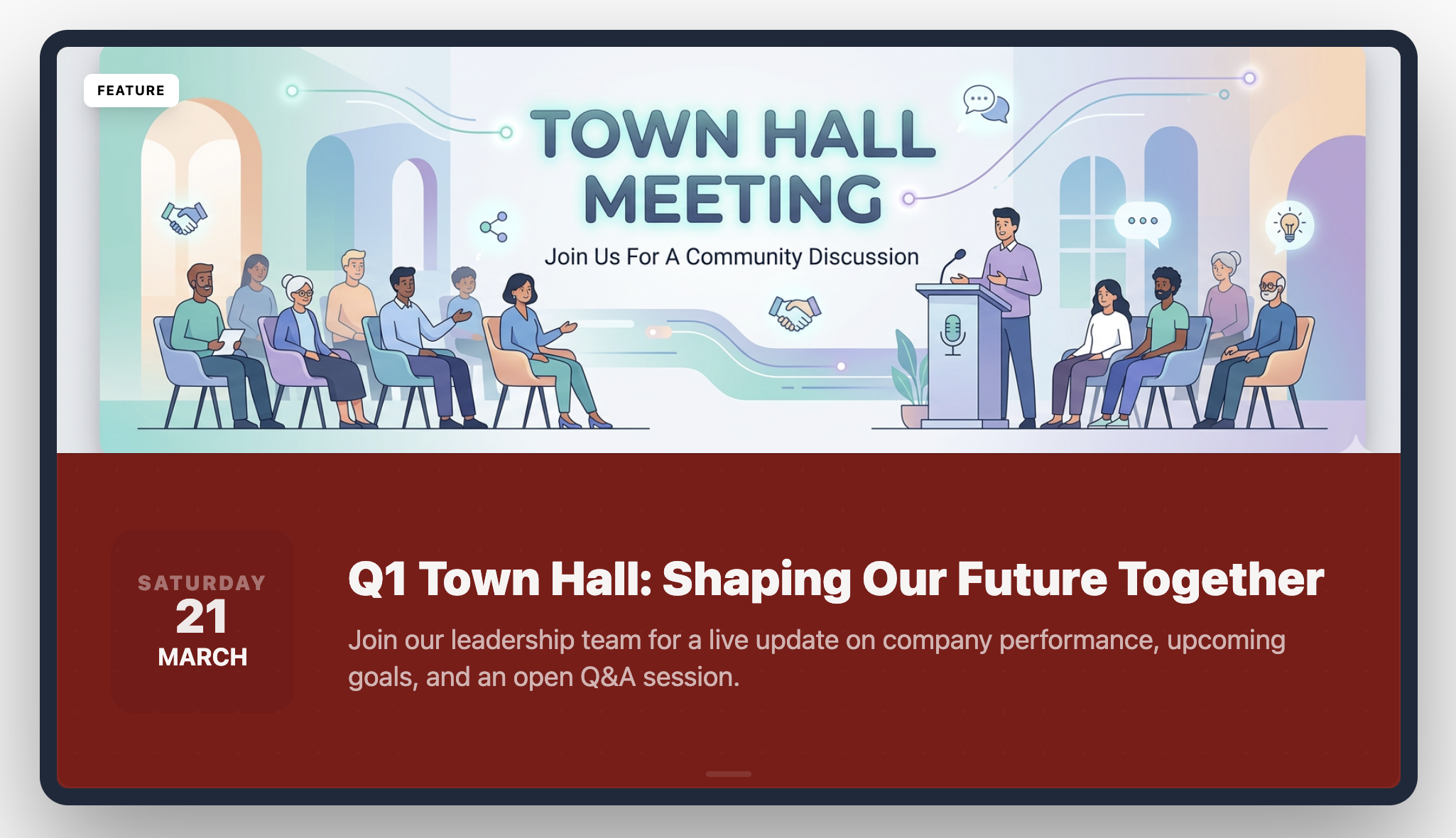
The Announcements app cycles through a series of messages, combining bold headlines, descriptive sub-lines, and impactful imagery. With built-in scheduling features like expiry dates and "pin-to-top" priority, it ensures your content is always timely and relevant without requiring manual removal.
How It Works: 5 Steps to Better Communication
Setting up your digital bulletin board is intuitive:
Initialize: Create a new Announcements app and give it a title (e.g., "Main Lobby Bulletin").
Pick Your Look: Select a Layout Style that fits your content (e.g., Image Top for visual-heavy posts).
Draft Your Messages: Add announcement items with headlines, sub-lines, and supporting images.
Set the Rules: Use Date and Expiry Date to schedule your posts, and use Pin to Top for urgent news.
Publish: Add the app to your playlist and let the cycle begin.
Configuration Fields Breakdown
Core Display Settings
Name: The internal name for your app instance.
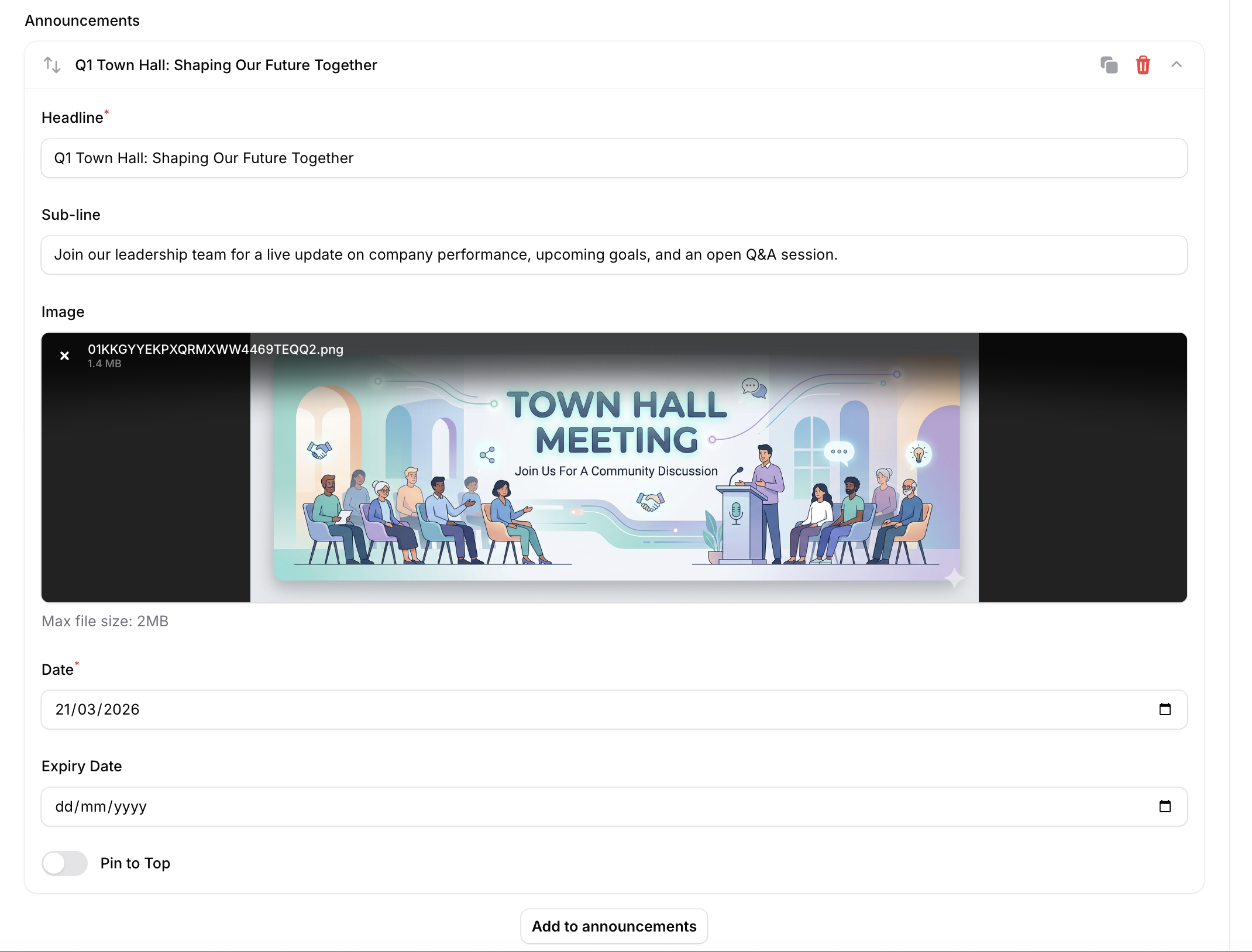
Layout Style: Choose how your text and images are positioned (e.g., Image Top, Image Background, Image left, Text Only, etc.).
Duration per Item (Seconds): How long each message stays on screen before the next one appears.
Show Day Name: A toggle to display the current day of the week alongside your message.
Announcement Item Controls
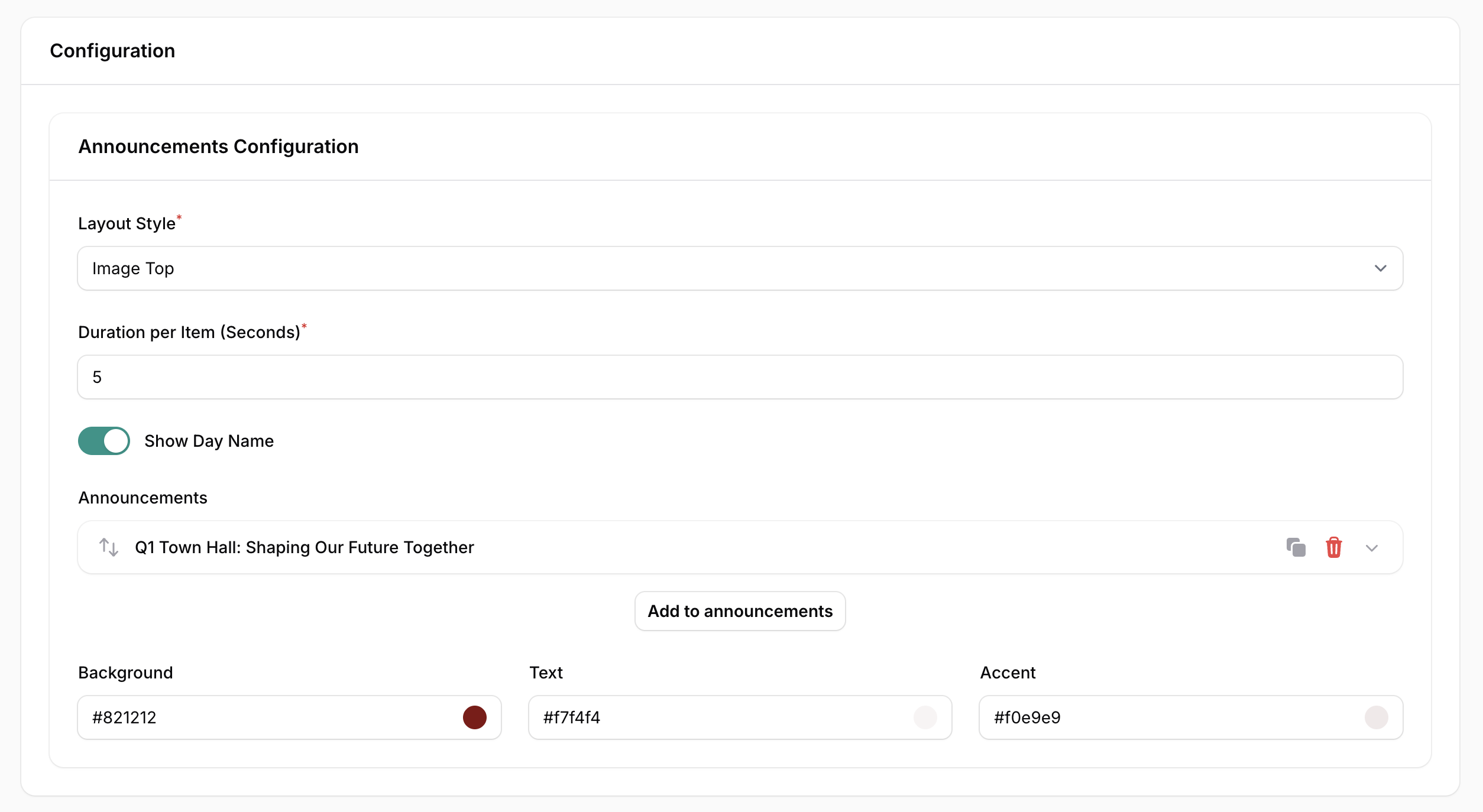
Headline: The main, large-font message (e.g., "Q1 Town Hall").
Sub-line: Additional context or details (e.g., "Shaping Our Future Together").
Image: Upload a graphic or photo to accompany the text.
Date & Expiry Date: Control exactly when an announcement starts showing and when it automatically disappears.
Pin to Top: Forces a specific announcement to remain first in the rotation, regardless of when it was added.
Custom Branding
Background Color: The hex code for the slide backdrop (e.g., #821212).
Text Color: The hex code for your headlines and descriptions (e.g., #f7f4f4).
Accent Color: The hex code for dividers or secondary visual highlights (e.g., #f0e9e9).
Strategic Use Cases
Internal HR Announcements: Share company-wide updates, policy changes, or health and safety reminders. Use Pin to Top for mandatory reading.
Event Reminders: Promote upcoming webinars, deadlines, or office social events. Set an Expiry Date so the post disappears the moment the event starts.
Retail Promo Highlights: Showcase limited-time offers or "Deal of the Day" items with high-impact imagery.
Real-World Examples
"Today’s Updates": A daily feed featuring a pinned urgent notice regarding a scheduled power maintenance.
"Weekend Offers": A retail-focused board where promotions are pre-loaded with an expiry date for Sunday evening.
"School Bulletin": An educational display using the Image Top layout to feature photos of student achievements and upcoming sports fixtures.