Whether you are building excitement for a massive product launch or managing time during a corporate workshop, the SignageFlow Countdown App is the perfect tool to drive urgency and focus. By turning time into a visual experience, you ensure your audience stays engaged and informed about what’s coming next.
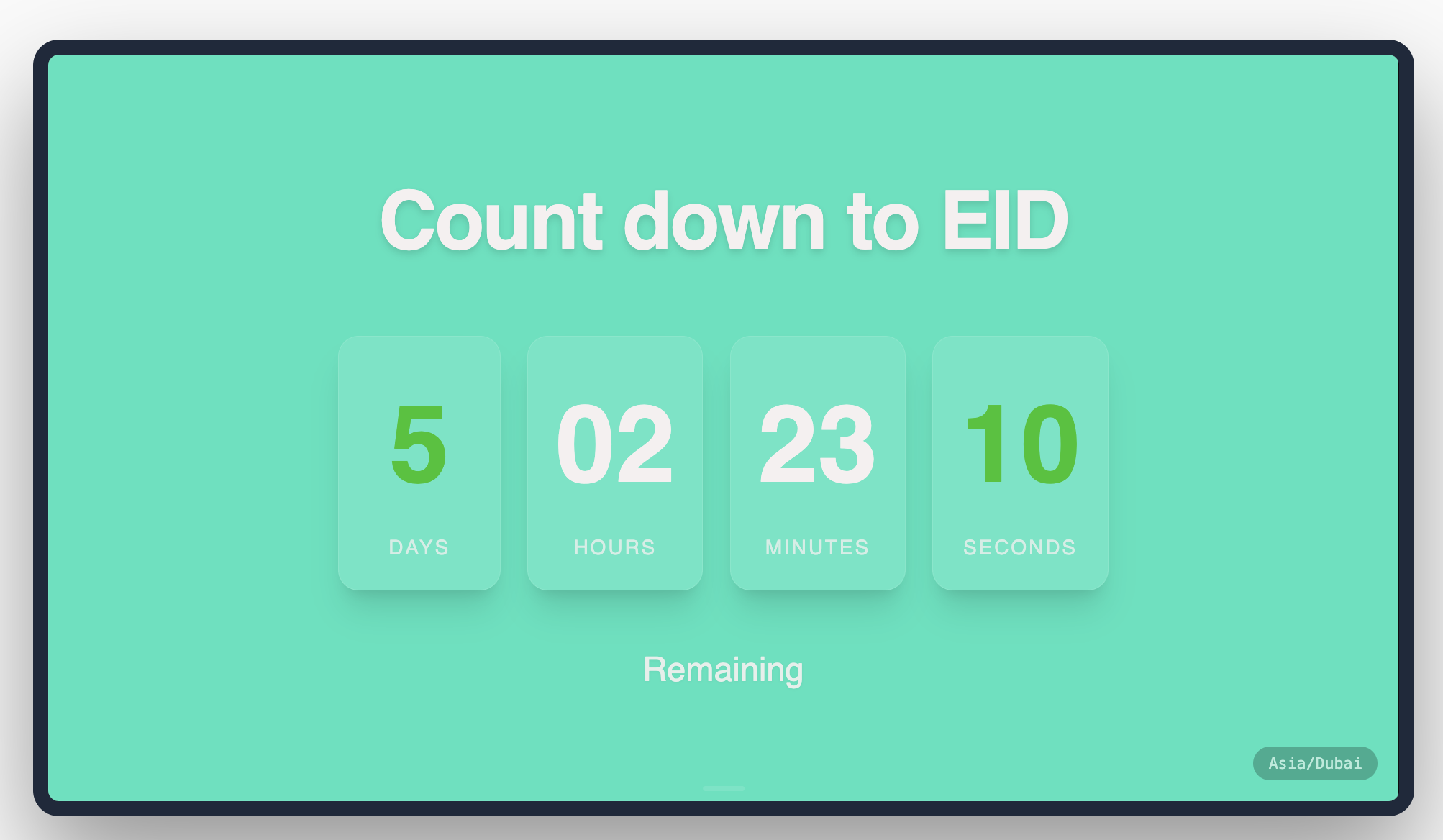
What the Countdown App Does
The Countdown app provides a high-impact visual timer that counts down to a specific moment in time or a fixed duration. It’s fully customizable, allowing you to choose which time units to display (days, hours, minutes, or seconds) and how they sit within your brand's visual identity.
How It Works: 5 Steps to Launch
Get your timer ticking in minutes:
Initialize: Create a new Countdown app and give it a name (e.g., "EID Celebration Timer").
Select Mode: Choose Target Date for specific events (like a grand opening) or Fixed Timer for recurring durations (like a 15-minute break).
Set the Goal: Input your target date and timezone, or simply enter the minutes and seconds for a fixed countdown.
Design the Look: Pick a Design Template (Centered, Split Left, or Split Right) and toggle the time units you want to show.
Publish: Add the app to your playlist. The timer will sync across all your screens instantly.
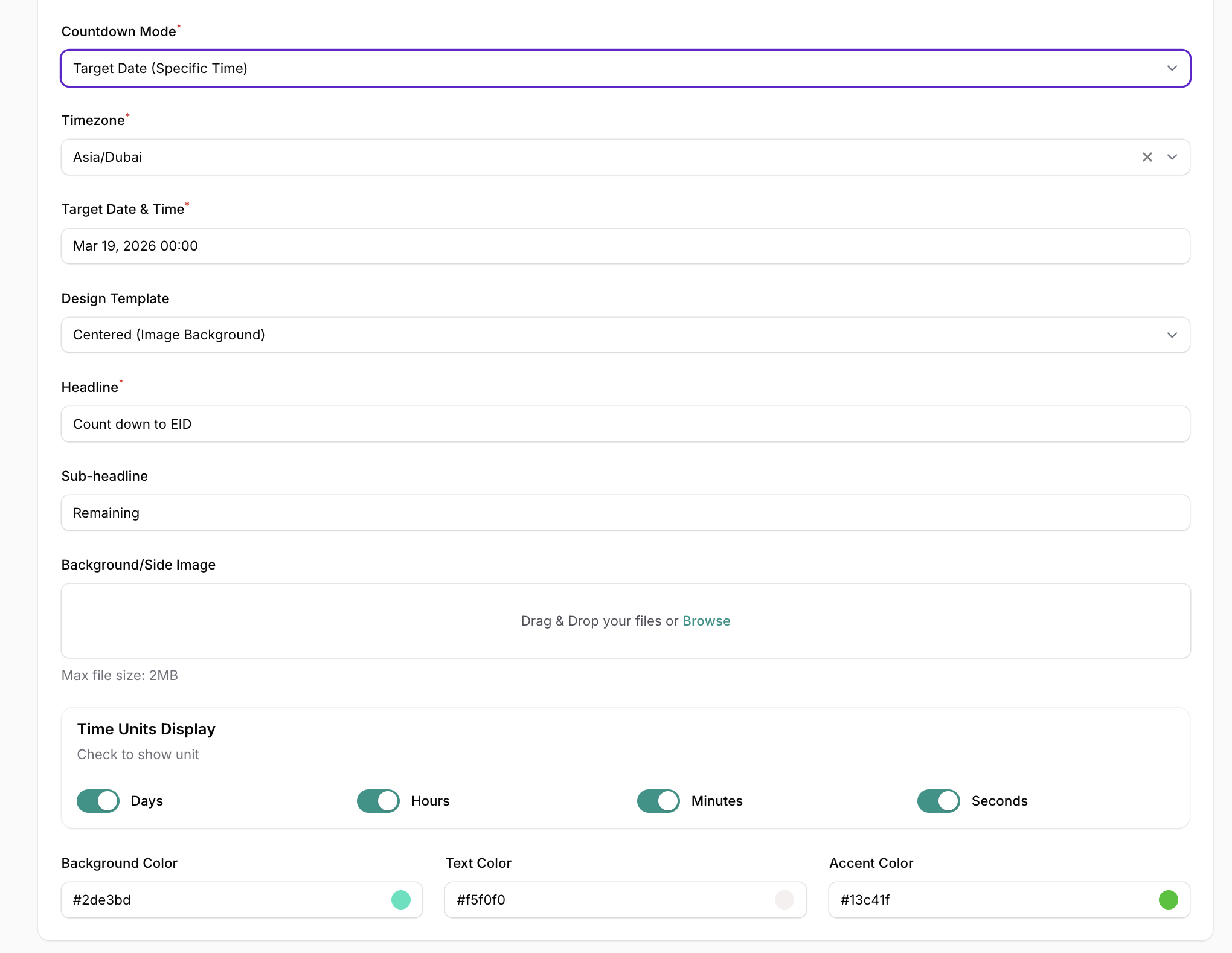
Configuration Fields Breakdown
Timing Controls
Name: The internal label for this app.
Countdown Mode: * Target Date (Specific Time): Counts down to a set point on the calendar.
Fixed Timer: Counts down from a set duration (e.g., 10 minutes).
Timezone: Essential for target dates to ensure accuracy across global offices (e.g., Asia/Dubai).
Target Date & Time / Minutes: The goal the clock is ticking toward.
Display & Units
Design Template: * Centered (Image Background): Best for full-screen impact.
Split Left / Split Right: Perfect for pairing the timer with a side image.
Headline & Sub-headline: The text that frames the timer (e.g., "Grand Opening" and "Coming Soon").
Time Units Display: Checkboxes to show or hide Days, Hours, Minutes, and Seconds.
Theming
Background/Side Image: Upload a graphic to sit behind or next to your timer.
Colors: Full control over Background, Text, and Accent colors (the color of the numbers themselves).
High-Impact Use Cases
Product Launch Timers: Build massive hype in retail stores or lobbies by counting down to the exact second a new product becomes available.
Event Start Countdown: Place screens at conference entrances to let attendees know exactly how long they have until the keynote begins.
Shift & Break Management: In warehouses or offices, use a fixed 15-minute timer to manage break periods effectively.
Real-World Examples
"Grand Opening": A full-screen centered countdown to a specific date with a vibrant image background of the new storefront.
"Flash Sale Ends In": A high-energy retail timer showing only Minutes and Seconds in a bold red accent color to drive immediate action.
"Meeting Starts In": A simple 10-minute fixed timer used in huddle rooms to keep schedules on track.