Company culture starts with how you value your people. The SignageFlow Employee Welcome App is a powerful internal communication tool designed to introduce new hires, celebrate milestones, and put a face to the names in your organization. By turning your digital screens into a warm, welcoming platform, you bridge the gap between departments and foster a more connected workplace.
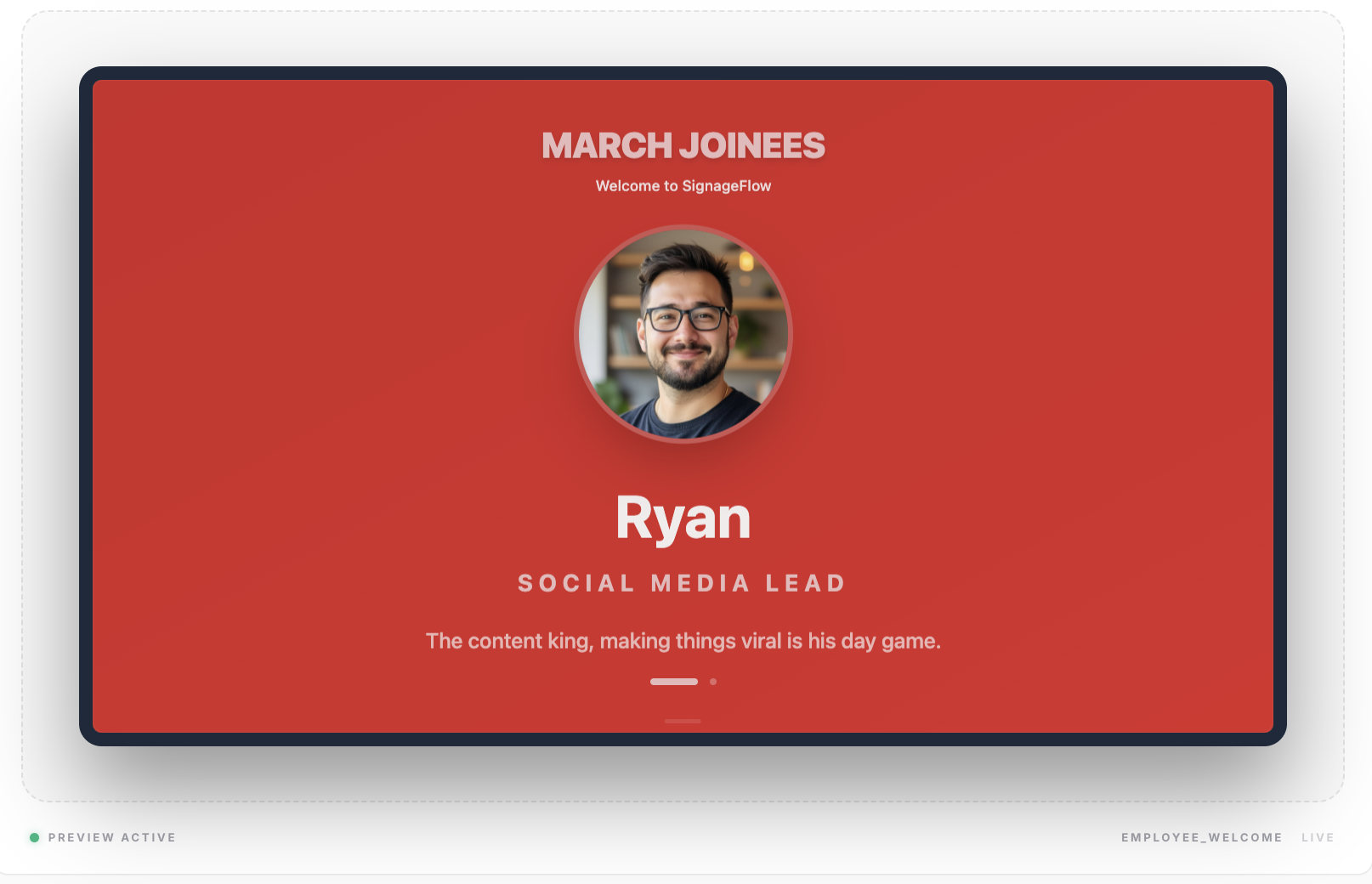
What the Employee Welcome App Does
This app creates a dynamic, rotating gallery of employee profiles. Each "slide" features a high-quality photo alongside the employee's name, their official designation, and a short bio or fun fact. It’s a professional way to spotlight your team and humanize the corporate environment.
How It Works: A 5-Step Guide
Set up your team spotlight in minutes:
Initialize: Create a new Employee Welcome app and give it a name.
Define the Structure: Choose your Layout Style and set a high-level Headline (e.g., "March Joinees").
Build Your Team: Add individual employee entries, uploading their photos and filling in their specific roles.
Control the Flow: Set the Duration each employee stays on screen and decide if you want to Shuffle the order.
Go Live: Add the app to your office playlist and publish.
Configuration Fields Breakdown
General Configuration
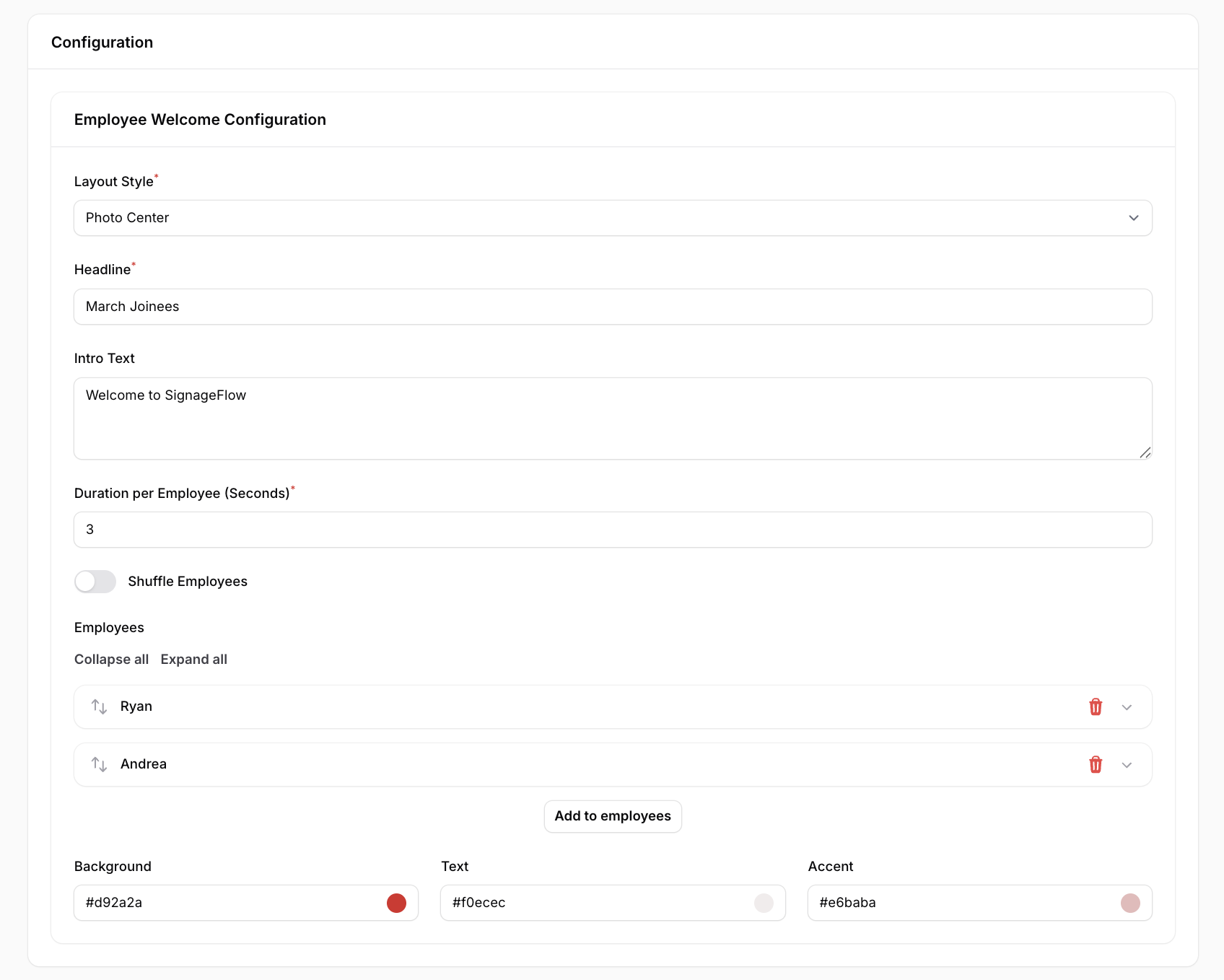
Name: The internal title for the app.
Layout Style: Choose between Photo Left, Photo Right, or Photo Center to match your design aesthetic.
Headline: The main title displayed at the top (e.g., "Welcome to the Team").
Intro Text: A brief introductory sentence or paragraph to set the context.
Duration per Employee (Seconds): How long each profile remains on screen before rotating.
Shuffle Employees: A toggle to randomize the order of profiles every time the loop starts.
Employee Entries
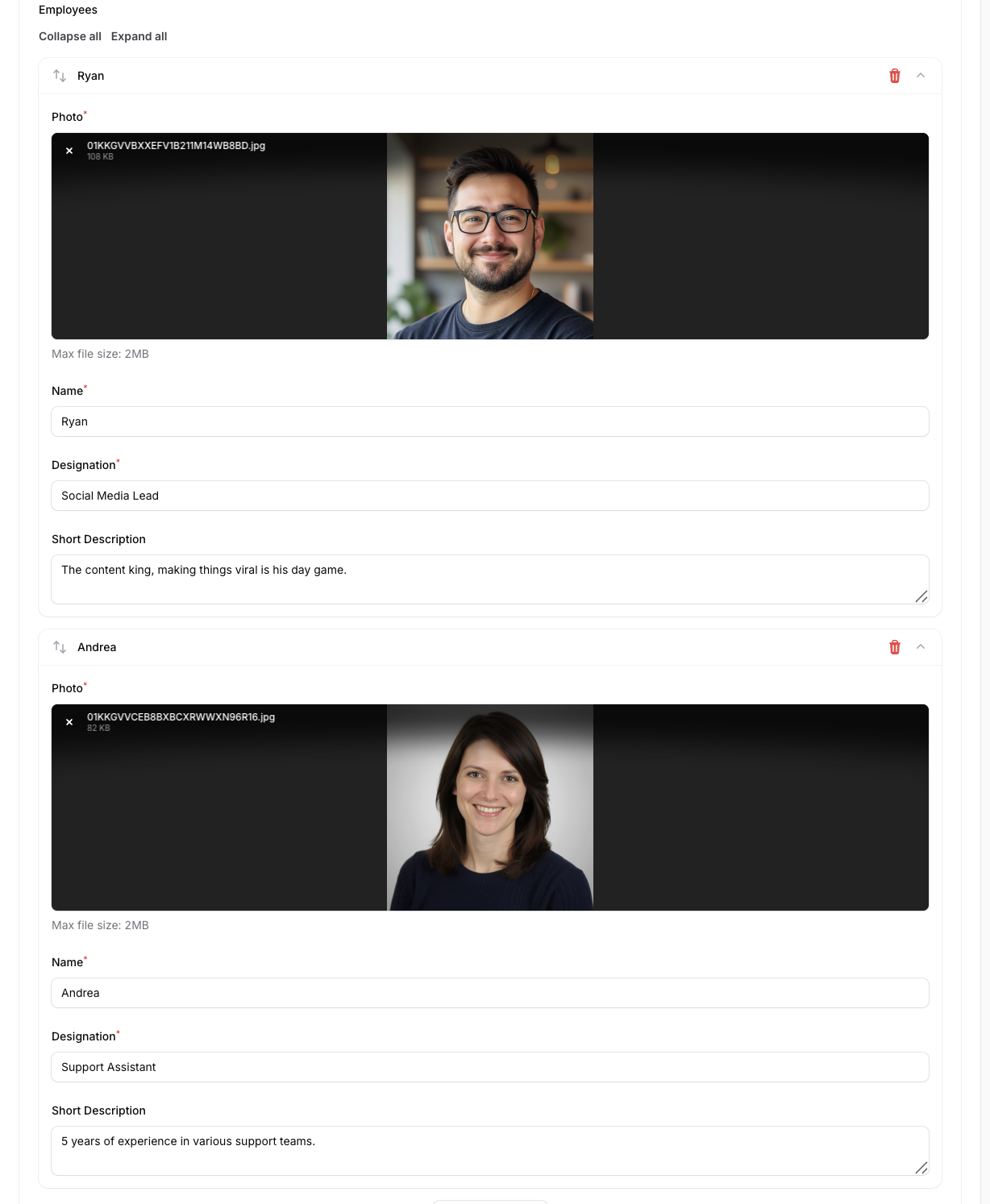
Employees: The master list where you can add, remove, or reorder team members.
Photo: Upload a professional headshot.
Name: The employee’s full name.
Designation: Their job title or department.
Short Description: A one-to-two sentence bio or welcome message.
Theming
Background: The hex code for the overall slide background (e.g., #d92a2a).
Text: The hex code for the primary font color (e.g., #f0ecec).
Accent: The hex code for highlights or decorative elements (e.g., #e6baba).
Strategic Use Cases
New Joiner Introductions: Give new employees a "Digital High-Five" by displaying their profiles in the lobby during their first week.
Employee Spotlight: Use the app to highlight long-term staff, sharing their accomplishments or a "Get to know me" bio to encourage cross-departmental conversation.
Engagement Displays: Place these screens in cafeterias or breakrooms to build a sense of community and culture.
Real-World Examples
"Welcome New Hires": A rotating deck set to 12 seconds per person, giving viewers plenty of time to read the bios.
"Employee of the Month": A single highlighted entry with a larger Photo Center layout to celebrate a specific achievement.
"Team Spotlight": A Shuffled list featuring the entire IT or Marketing department, rotating quickly on cafeteria screens to build familiarity.