
In many environments, staying mindful of prayer schedules is an essential part of the day. The SignageFlow Prayer Times App provides a serene, automated, and highly accurate way to display daily prayer timings. By integrating real-time data with customizable aesthetics, you can ensure that your community, employees, or visitors are always informed of upcoming prayer times.
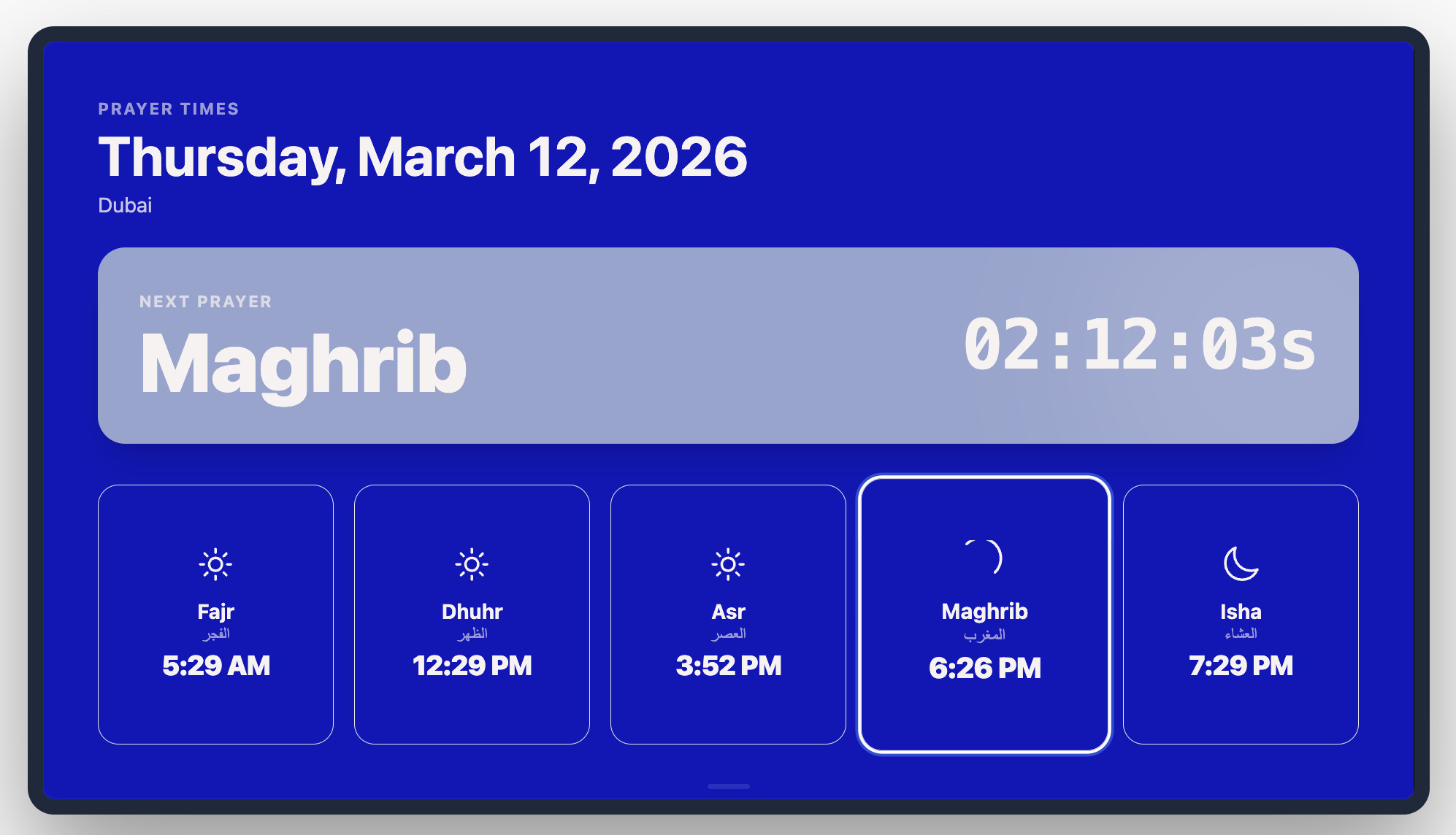
What the Prayer Times App Does
The Prayer Times app automatically calculates and displays the daily schedule for Fajr, Dhuhr, Asr, Maghrib, and Isha based on your specific geographic coordinates. It removes the need for manual daily updates by syncing with global astronomical standards and applying the specific calculation methods preferred in your region.
How It Works: 5 Steps to Peace of Mind
Setting up a digital prayer schedule is simple and respectful:
Initialize: Create a new Prayer Times app and name it (e.g., "Main Prayer Hall").
Locate: Use the Search Location tool to pinpoint your city. This ensures the app uses the exact latitude and longitude for precise timing.
Select Method: Choose the Calculation Method that aligns with your local authority (e.g., UAE General Authority of Islamic Affairs & Endowments, ISNA, or Muslim World League).
Design & Calm: Upload an optional Background Image (like a mosque silhouette or a calming pattern) and tune the card colors to match the room's ambiance.
Publish: Add it to your playlist. The app will refresh every 24 hours to pull the next day's timings.
Configuration Fields Breakdown
Core Timing Settings
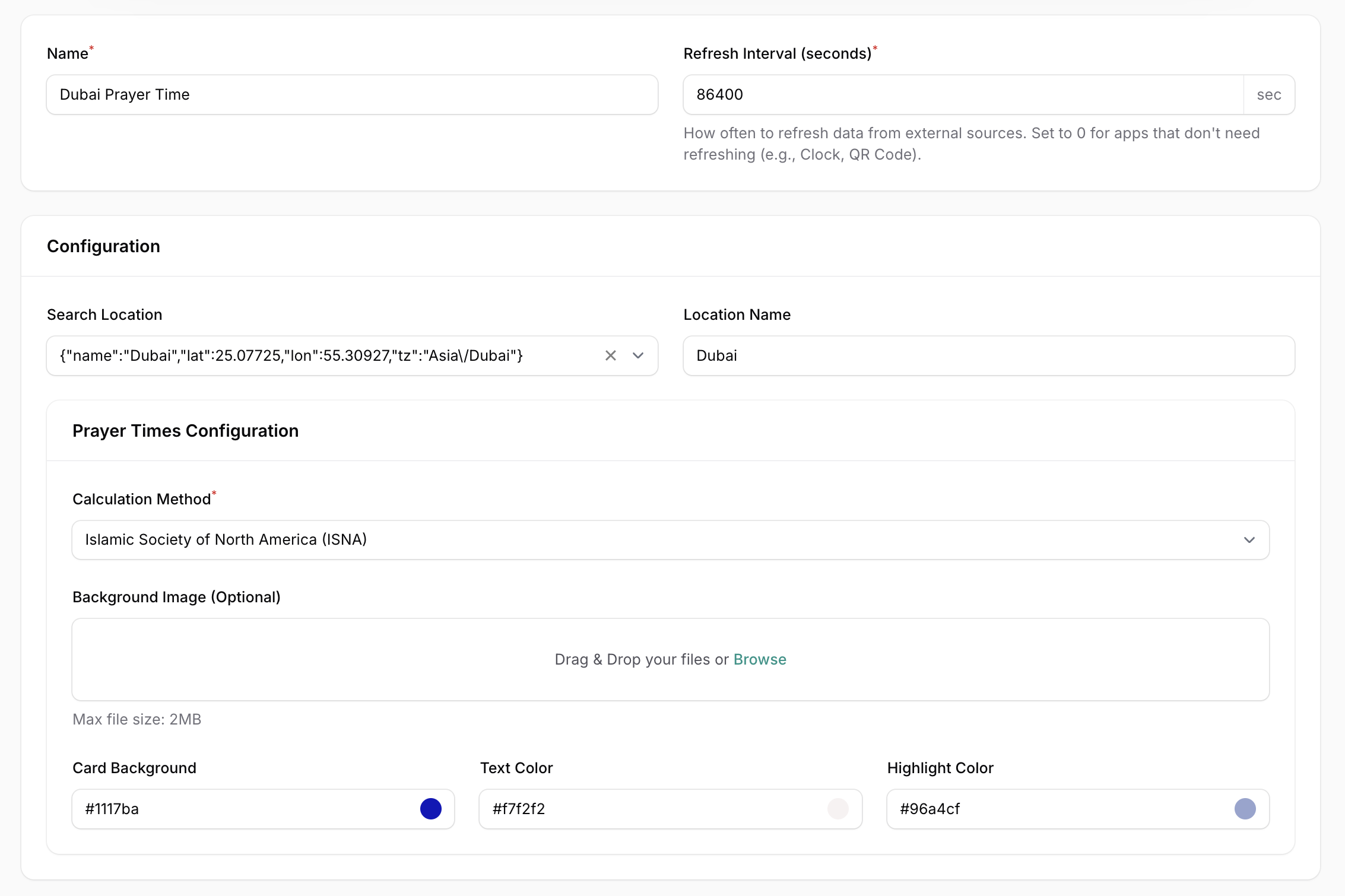
Name: The internal label for the app instance.
Refresh Interval (seconds): Frequency of data sync. (86400 seconds / 24 hours is standard for prayer times).
Search Location: Search bar to find your city and lock in the timezone and coordinates.
Location Name: The display name for the location (e.g., "Dubai").
Calculation Method: A dropdown of global standards (e.g., Islamic Society of North America, Umm al-Qura, etc.) to ensure the math matches local traditions.
Visual & Branding
Background Image (Optional): Drag and drop a high-quality image to serve as the backdrop for the entire widget.
Card Background: The hex code for the individual time cards (e.g., #1117ba).
Text Color: The hex code for the names of the prayers and the times (e.g., #f7f2f2).
Highlight Color: A secondary hex code used to emphasize the "Current" or "Next" prayer time (e.g., #96a4cf).
Strategic Use Cases
Mosques and Community Centers: Provide a clear, large-scale display in main halls to help congregants keep track of Iqaamah and Salah times.
Office Prayer Rooms: Help Muslim employees manage their workday effectively by placing a discreet but clear display in designated prayer areas.
Education & Campus Facilities: Ensure students and faculty have access to accurate timings in multi-faith rooms or student centers.
Real-World Examples
"Masjid Main Hall": Configured with the Umm al-Qura (Makkah) method for traditional accuracy in a large-screen format.
"Corporate Prayer Room": A minimalist design using Branded Card Colors that match the company's internal color palette for a professional look.
"Campus Prayer Display": Featuring a Background Image of a serene landscape to create a peaceful atmosphere in a university multi-faith space.