
In the digital age, your signage shouldn't just be something people look at. It should be something they interact with. The SignageFlow QR Code App bridges the gap between your physical screens and your audience's smartphones. By turning complex URLs, contact info, or network credentials into a simple "scan-and-go" card, you drive engagement and simplify the customer journey.
What the QR Code App Does
This app generates high-resolution, branded QR codes that perform specific actions when scanned. Whether you need to drive traffic to a website, help guests join your WiFi, or initiate a payment, the QR Code app handles the generation and tracking in one sleek package.
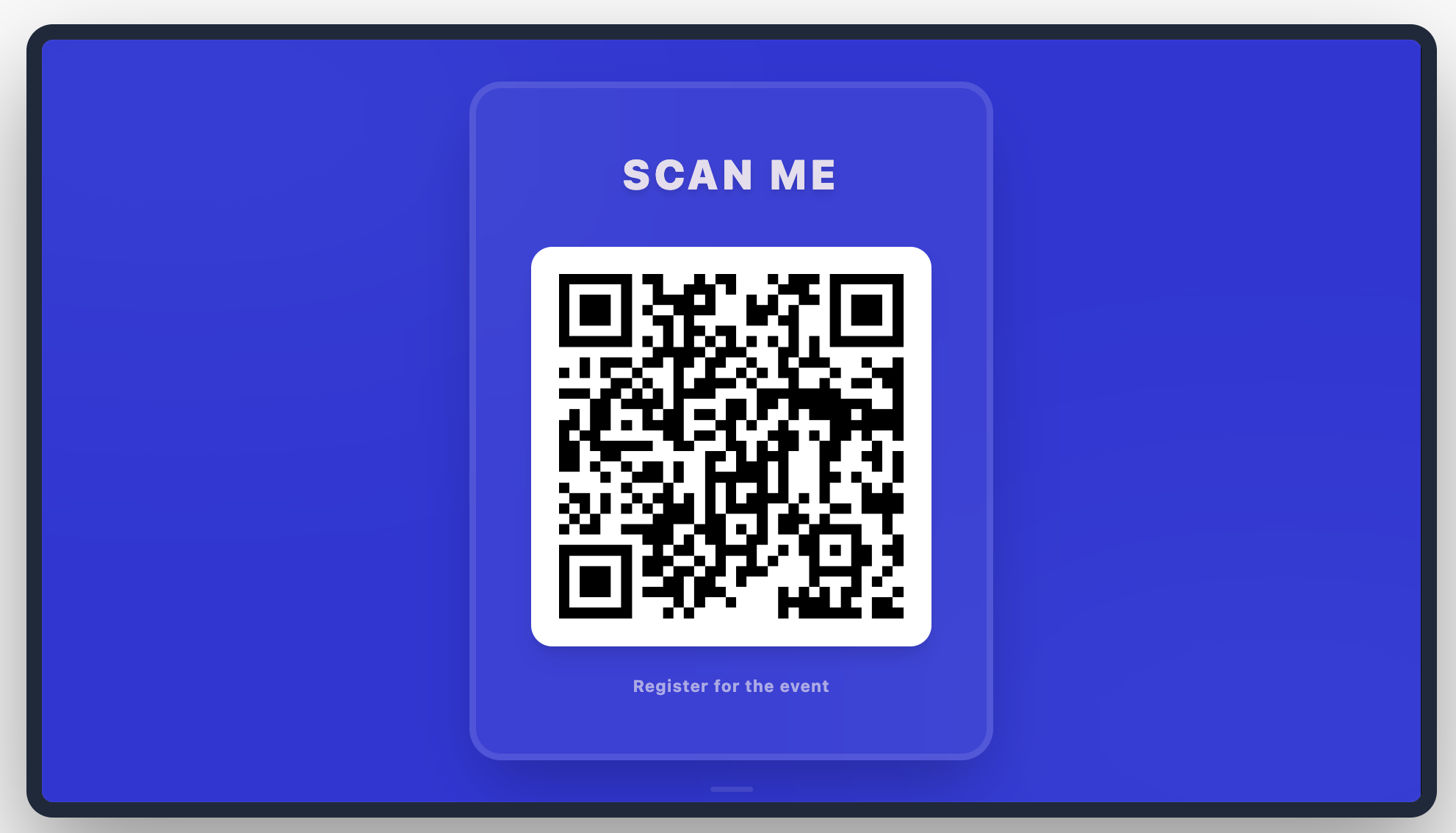
How It Works: Your 5-Step Interaction
Creating a touchpoint on your screen is simple:
Initialize: Create a new QR Code app and name it (e.g., "Check-in QR").
Select Content Type: Choose what happens when scanned (URL, WiFi, WhatsApp, etc.).
Input Data: Fill in the dynamic fields based on your selection (e.g., paste your URL or enter WiFi credentials).
Brand It: Add a compelling Headline and Sub-headline, then tune the colors to match your theme.
Publish & Track: Add to your playlist and monitor the Total Scans directly from the dashboard.
Configuration Fields Breakdown
Content & Strategy
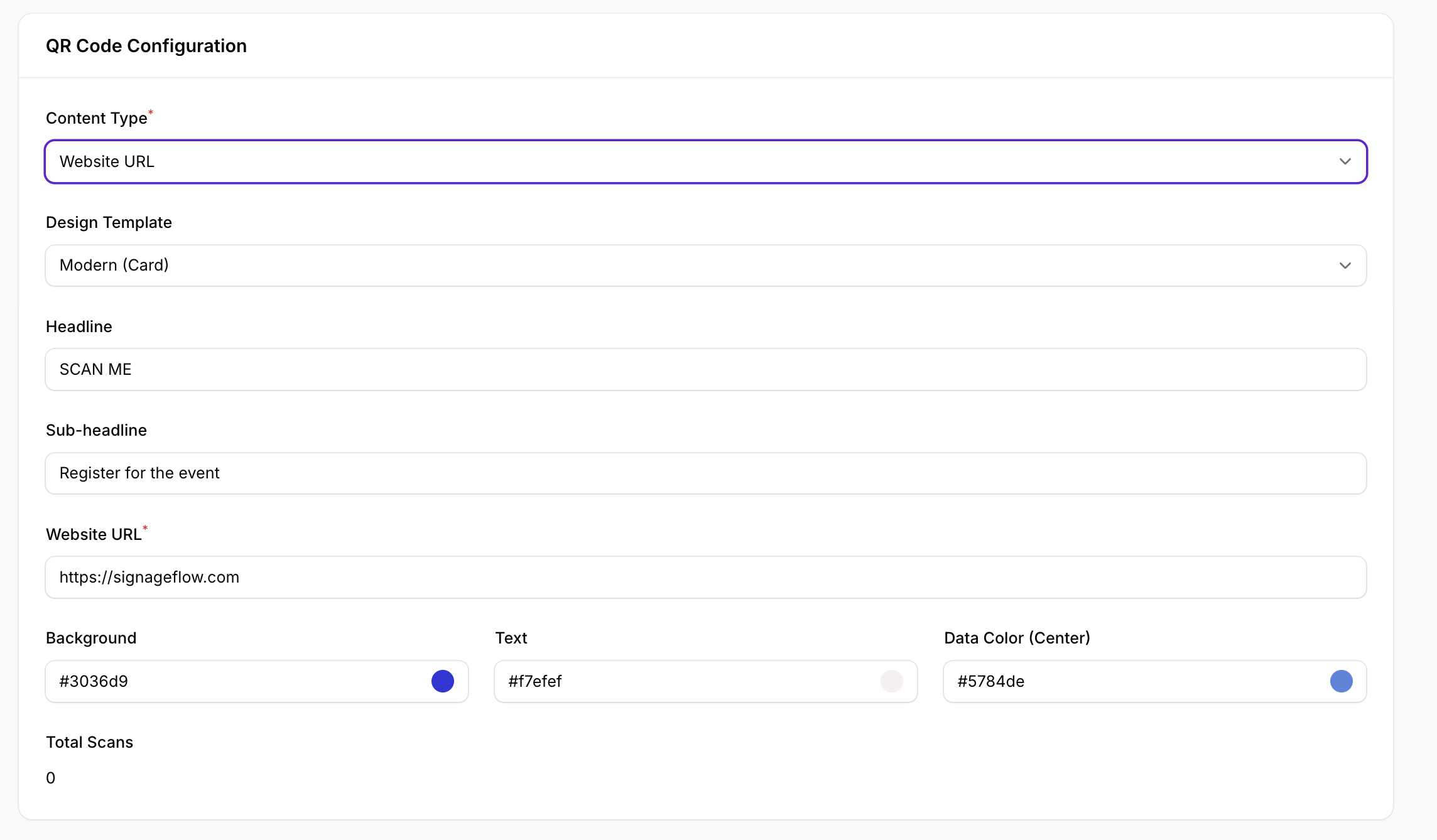
Name: Internal title for the app instance.
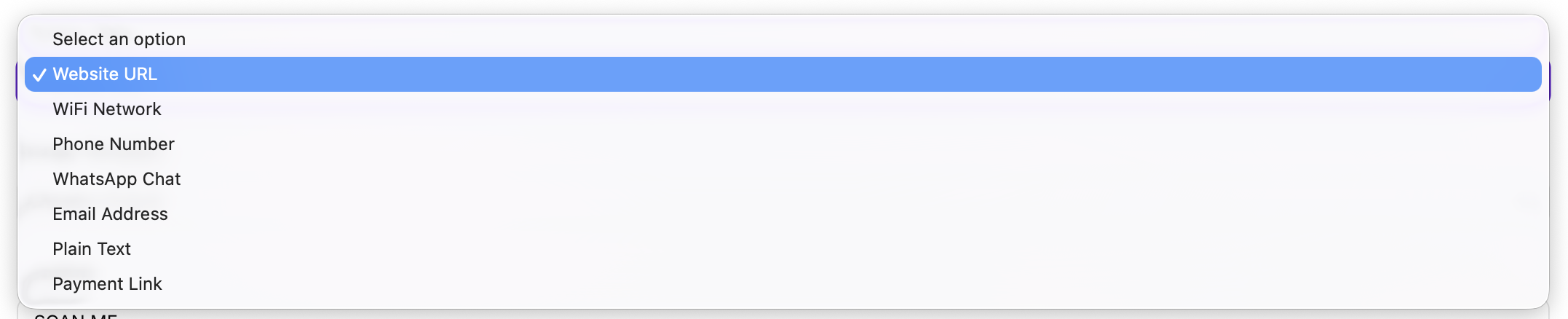
Content Type: Select from a versatile list of actions:
Website URL (Links to any webpage)
WiFi Network (Auto-connects to your local internet)
Phone Number / WhatsApp Chat (Starts a call or message)
Email Address / Plain Text / Payment Link
Design Template: Choose the card aesthetic (e.g., Modern Card).
Headline: The call to action (e.g., "SCAN ME").
Sub-headline: Additional context (e.g., "Register for the event").
Dynamic Value Fields (Changes based on Content Type)
Website URL: The destination link.
Network Name (SSID) / Password / Encryption: Only appears for the WiFi Network type to facilitate auto-connection.
Total Scans: A built-in counter that shows how many people have interacted with your code.
Theming & Colors
Background: The hex code for the card backdrop (e.g., #3036d9).
Text: The hex code for the headline and sub-headline (e.g., #f7efef).
Data Color (Center): Customize the color of the QR pixels themselves (e.g., #5784de).
High-Impact Use Cases
Retail & Checkout: Display a "Scan to Pay" code at the counter to speed up transactions and offer a contactless payment experience.
Hospitality: Provide "Guest WiFi" access in lobbies. Instead of asking for the password, guests just scan the screen to get connected instantly.
Marketing Campaigns: Use a "Scan for Menu" or "Get the Discount" code in restaurants and shops to lead customers directly to your landing page or digital menu.
Real-World Examples
"Check-in Desk": A payment link QR at a clinic counter using branded blue and white colors to match the medical facility.
"Lounge WiFi": Configured with WPA credentials hidden in the code so guests don't have to type long passwords.
"Event Registration": A URL QR with a Headline: JOIN NOW that directs attendees to a sign-up form during a presentation.